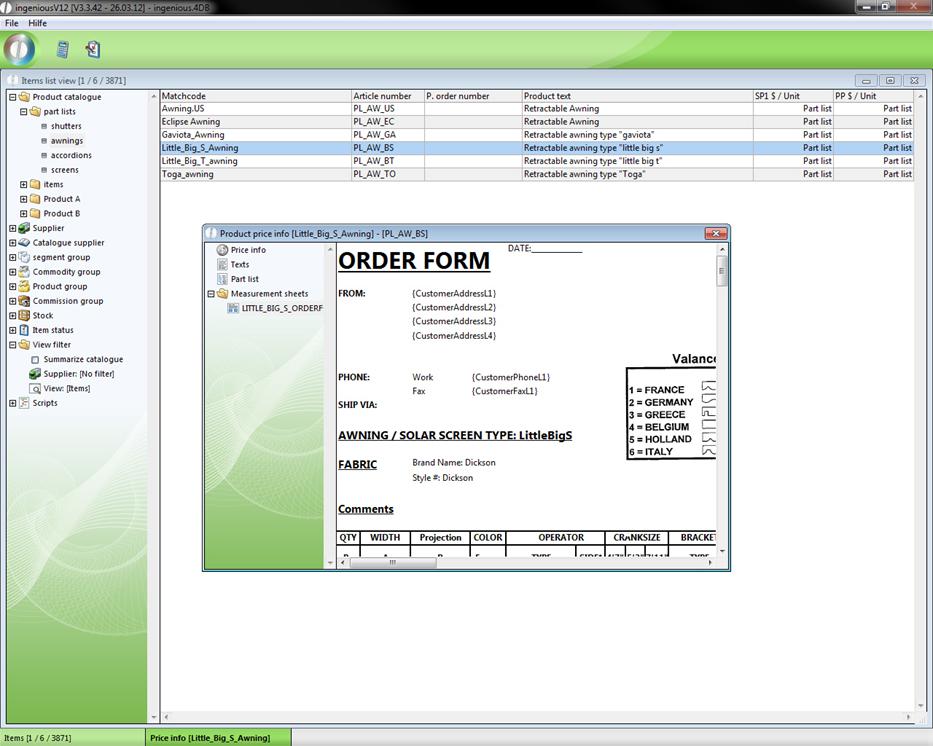
The “Add hoc” functionality is available to you for the quick calculation of the price information of meter items, square meter items and service items. With the  button, “Calculate price information about the Ad hoc item”, Ingenious.V12 offers you all important information that allows you to be able to immediately give comprehensive information about the product to the contact in a phone inquiry. Here it is thus possible for instance to calculate the price information specific to a product of the current selected item, and to inform the contact of this. Also different versions (variants) or dimensions of the product can be arranged and calculated here. In order to be able to use these possibilities, it is sufficient to click on the button, which is located in the icon bar of the lists – where the detail view of the module “items” is also located. In the start view of the following window, you will be in the most important column, “Price info”.
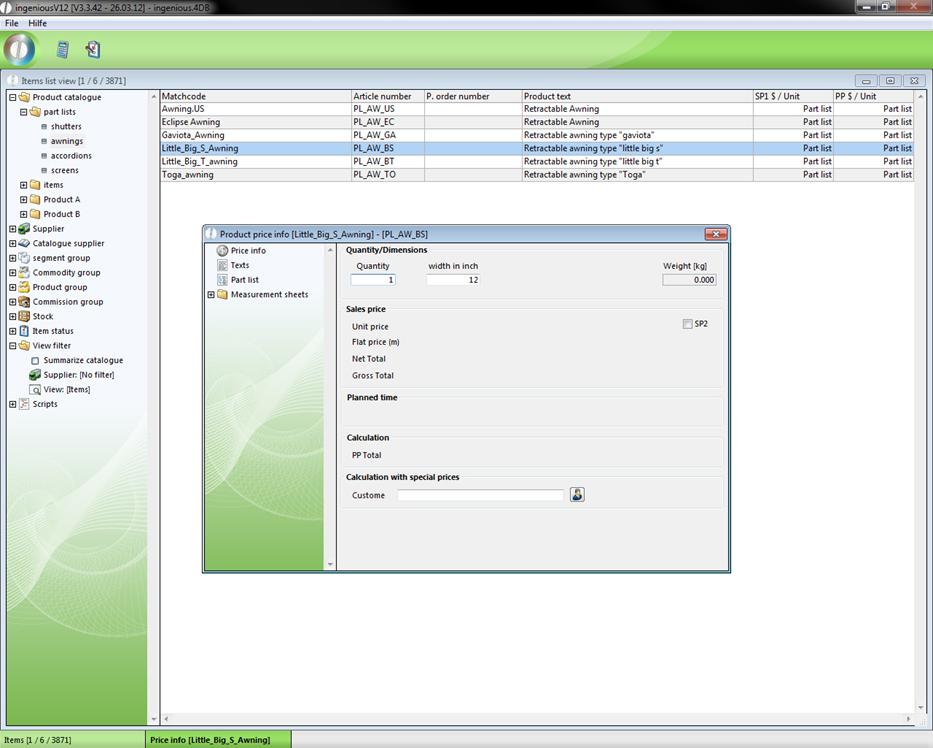
Here you have an immediate overview of the most important data of this item in the areas, “Number/Dimensions”, “Selling Price”, “Planned time”, “Calculation”, and “Calculation with Special Prices”. First you should enter the contact in the area, “Calculation with Special Prices” with the help of the  button or click first on the
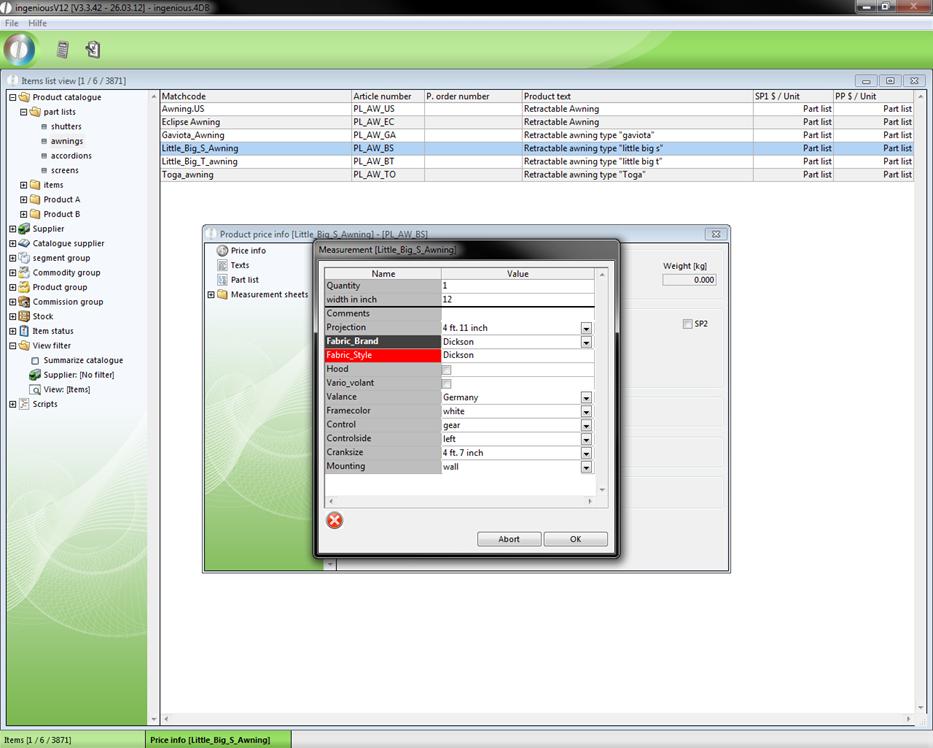
  button. If the item has basic data, they will now appear in the “Dimension” window. Here you can arrange the item according to the contact’s request, and start the price calculation with the “OK” button.
Creation of the parts lists of the product
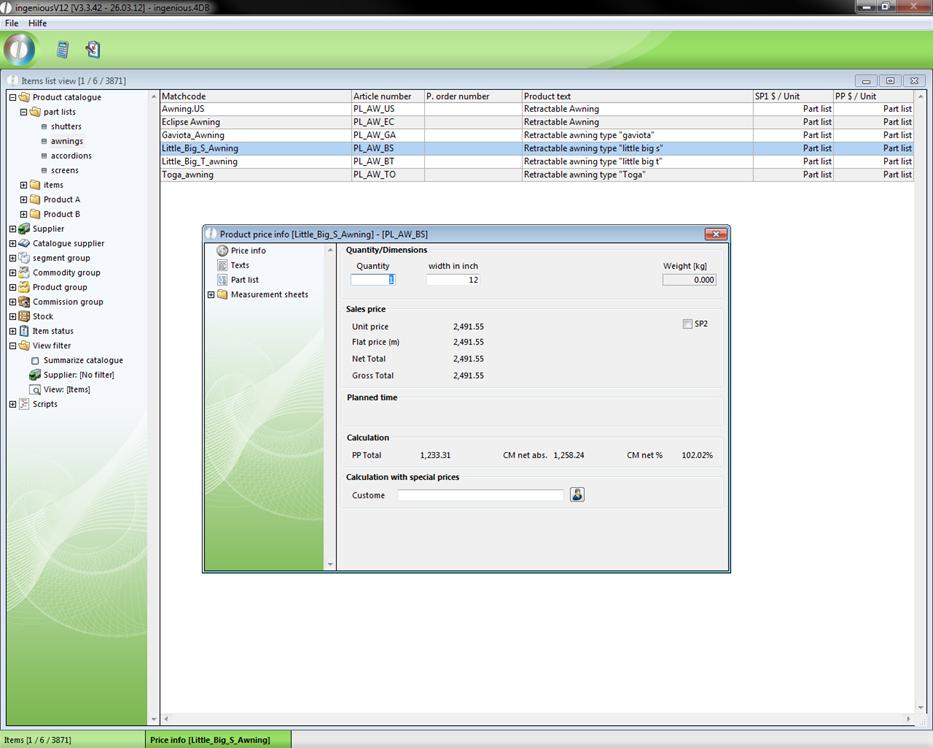
The calculated price of course contains optional contact discounts. This price applies however only to an item with the standard dimensions. This you can change in the column, “Price Info.” with the entry fields in the area, “Number/Dimensions”.
The new price calculation takes place again with the button. However, the basic data no longer appears. In order to edit them again, the  button is at your disposal. The column, “Texts” contains the item texts created by Ingenious.V12 according to the basic data.
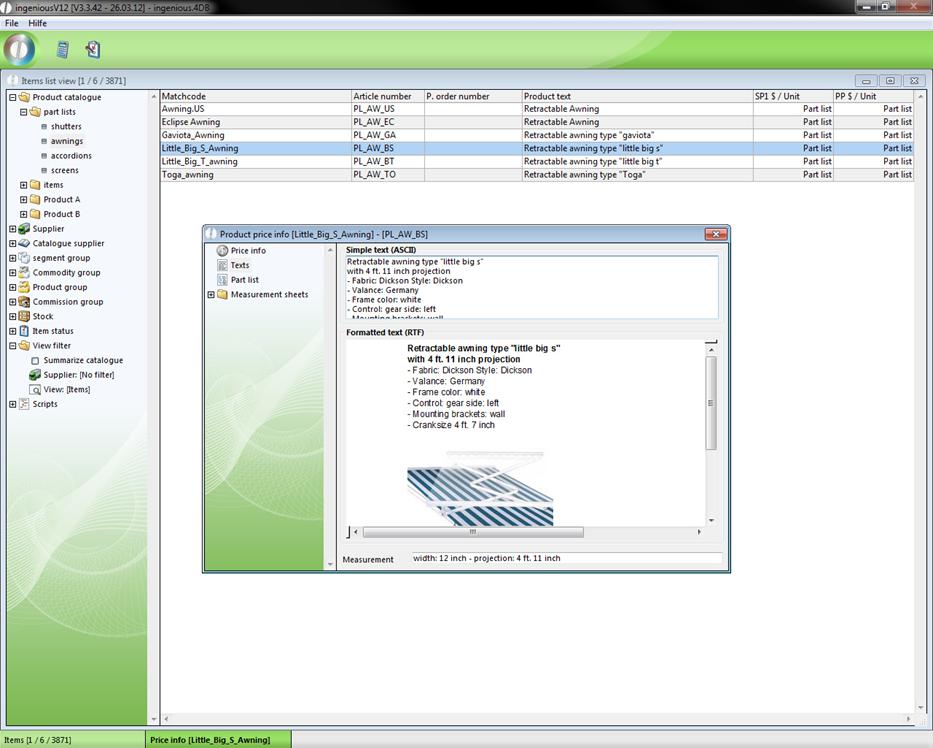
In addition, the RTF text provided is located in this column in the detail area of the item (possibly with pictures underneath). In the column, “Parts lists”, the individual components of the item are listed in spreadsheet form.
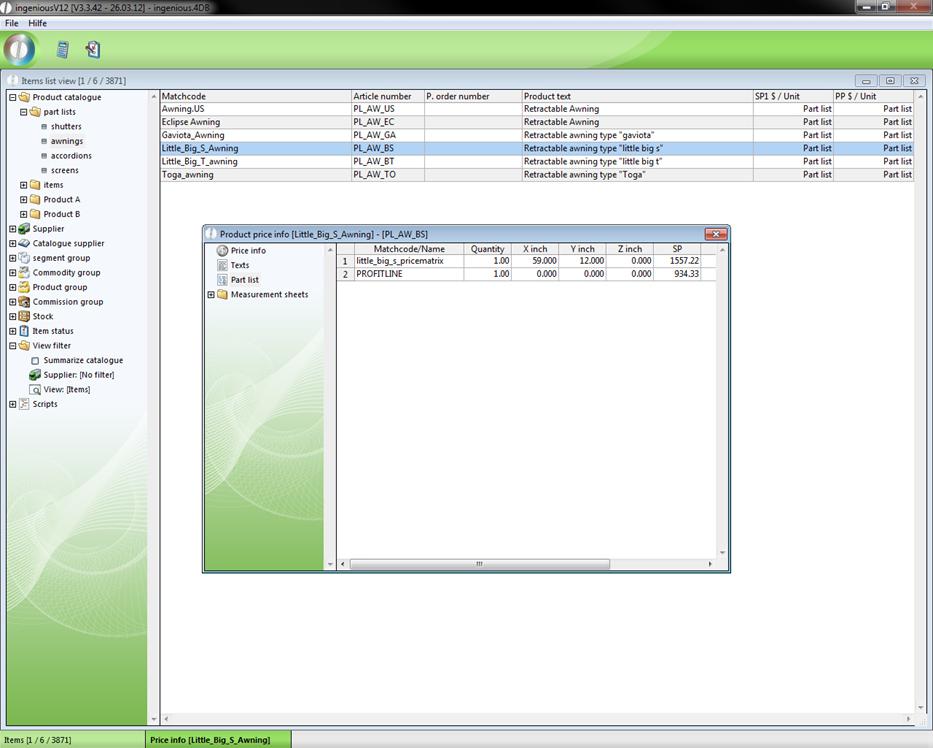
In the spreadsheet, information is listed about the amount, measurement selling price, time involved and discount of the individual accessories. In the folder, “Measurement sheets”, the sample measurement sheet is found. Whether “Measurement sheets” documents are found in the file depends on if a measurement sheet was added to this item.